Hello and welcome to propertyhub.in.th!
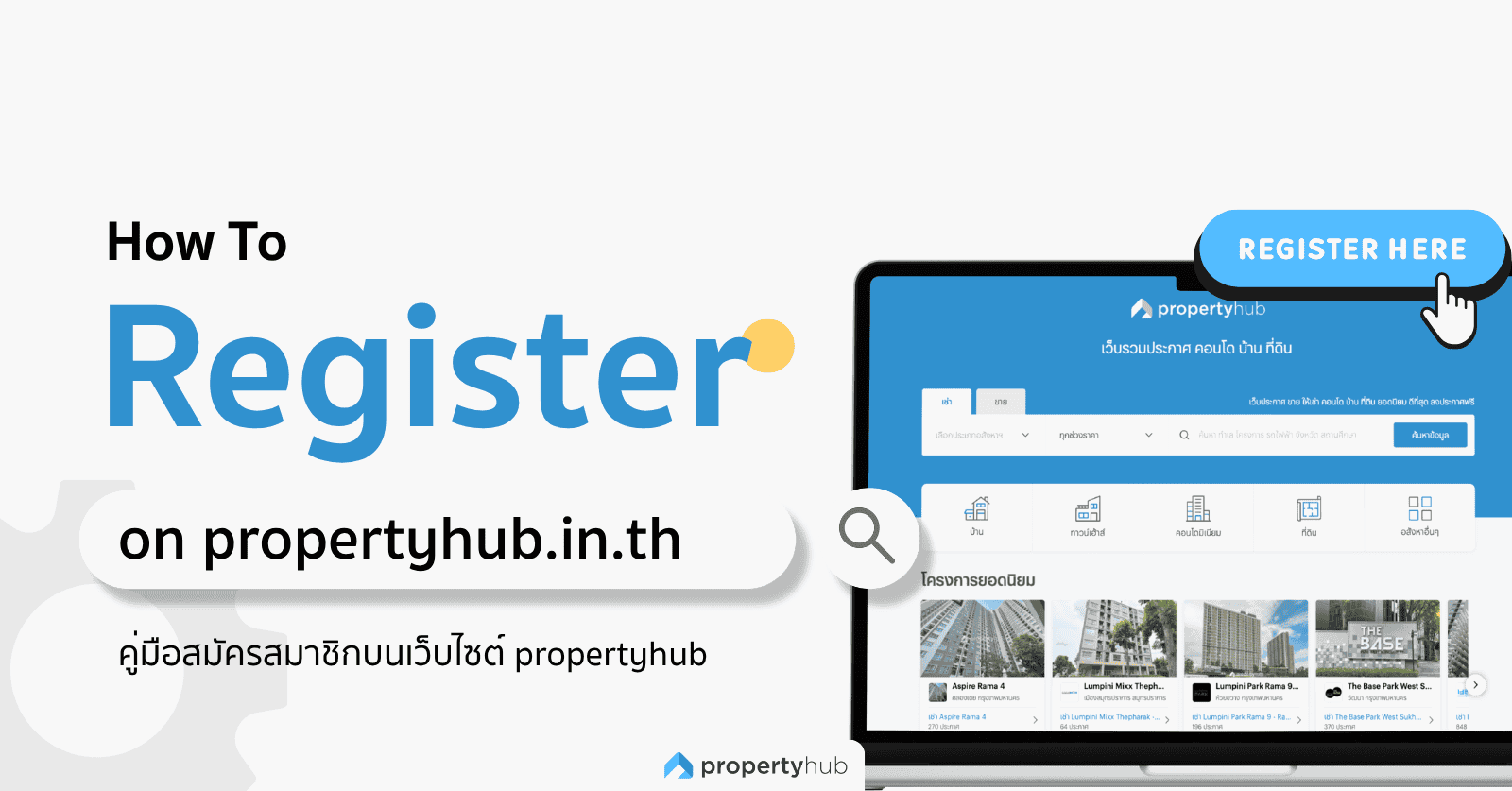
If you are new to Propertyhub or interested in getting started with our platform, this guide will provide a step-by-step overview of the registration process. We’ve write this guide to make the process as simple and straightforward as possible, so you can easily follow each step and start using Propertyhub with confidence.
Propertyhub Registration
You can complete the registration process by yourself in just a few steps and start create listing on propertyhub immediately.
1. Log in
Visit propertyhub.in.th and click “Sign Up / Login” at the top-right corner of the website.
On mobile devices, this menu can be found in the hamburger menu (☰) at the top-left corner of the screen. A login window will appear. If you already have an account, you can log in directly. If you are a new user, click “Login”.
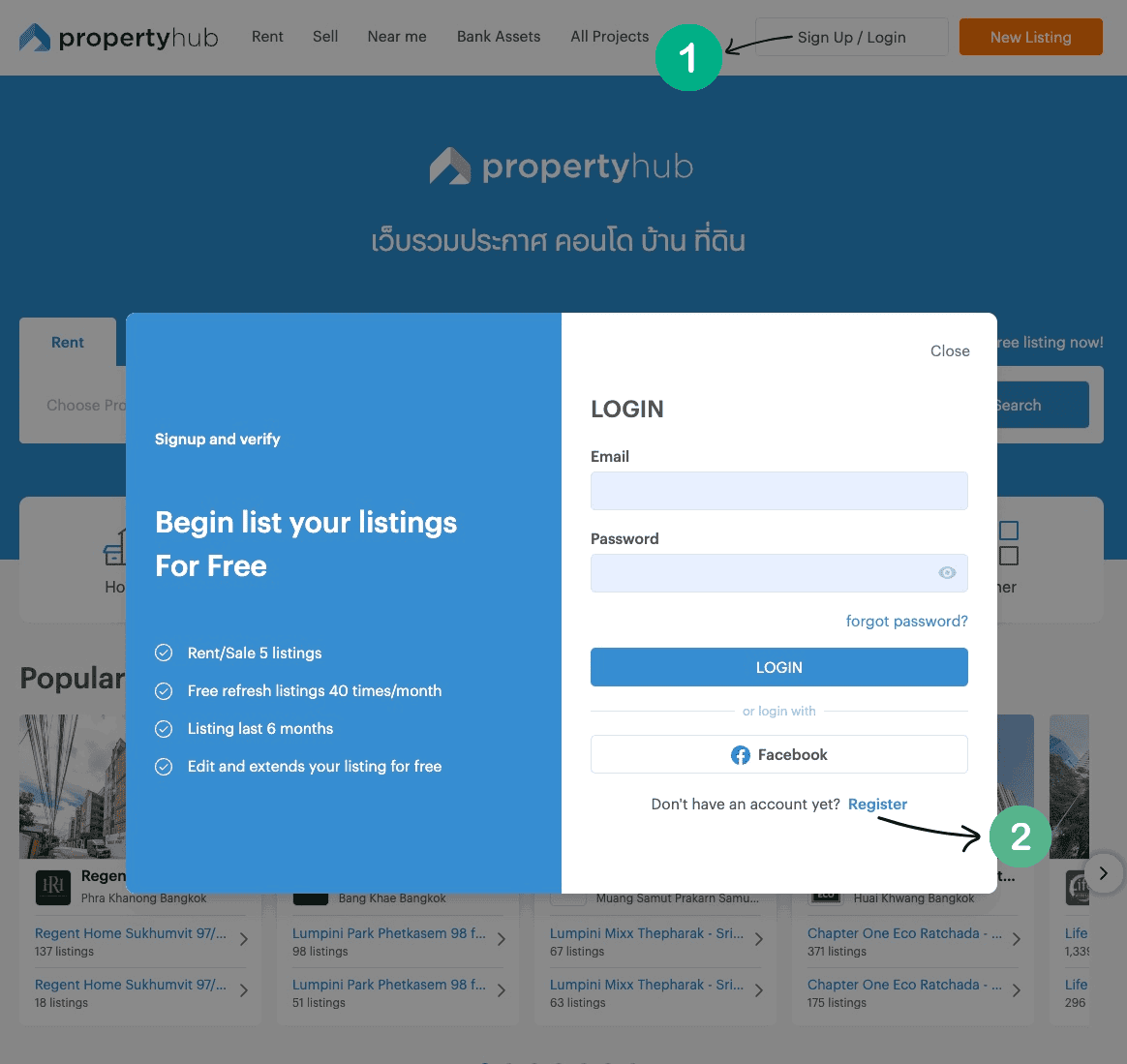
2. Enter your Information
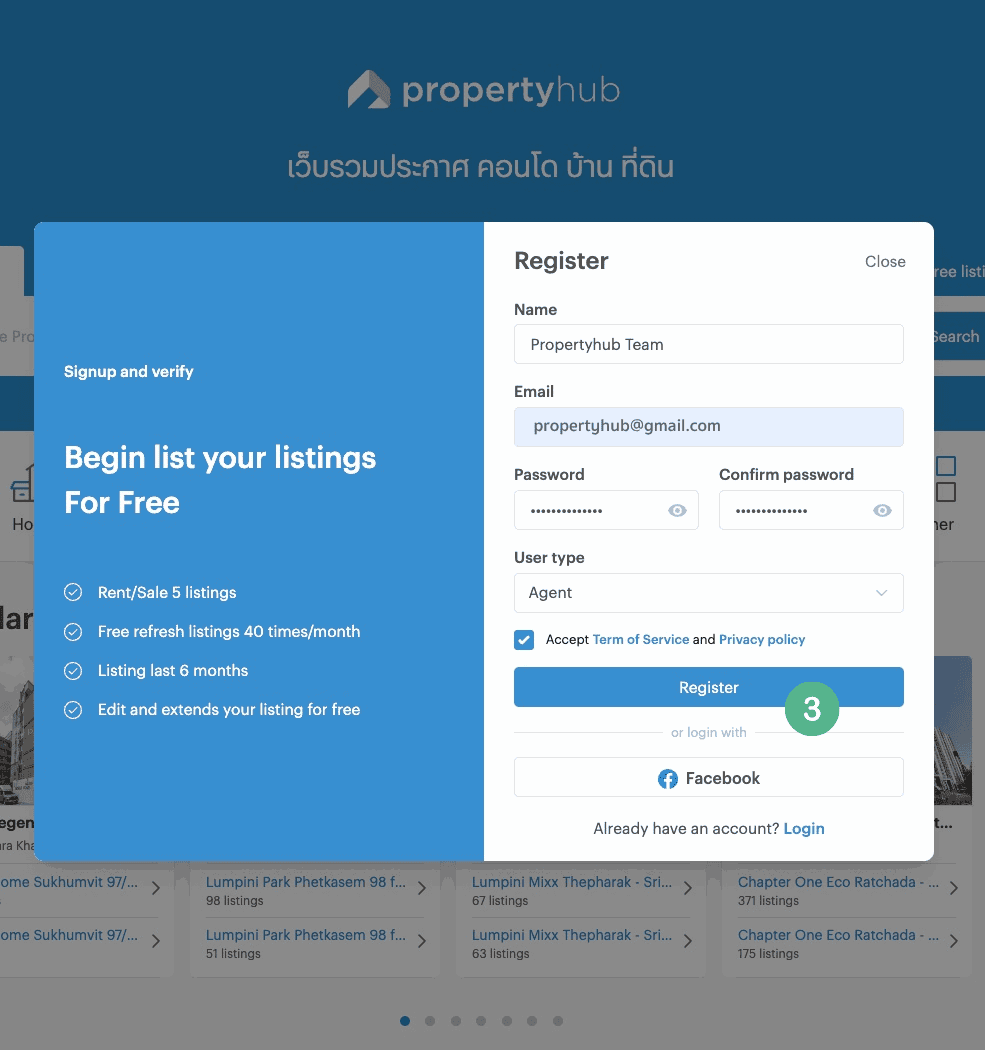
Fill in the required information, including: Name, Email, Password and User type, such as Agent or Owner (The selected user type is used only for statistical purposes and does not affect any features or functionality on the website)
Once you have entered your information, check the box to accept the Terms of Use and Privacy Policy.
3. Submit your Registration
After completing all the required information, click “Register” to submit your registration. The system will then send a confirmation to your email provided.
4. Verify your email
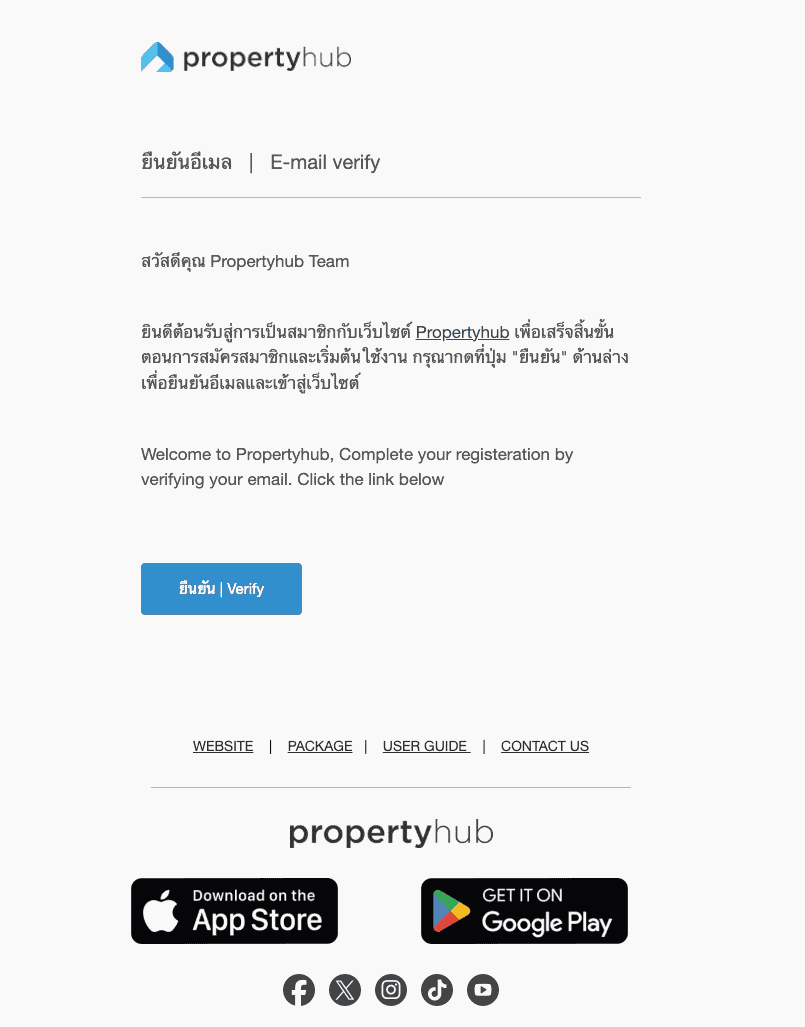
Go to your email inbox and look for an email from Propertyhub.
Click “Verify” to confirm your email address. (If you cannot find the email in your inbox, please check your Spam or Junk folder)
5. Registration Successful
Congratulations! 🎉 You are now a Propertyhub member.
After clicking the verification button in the email, you will be redirected to your Propertyhub Dashboard. You can now start creating listings for rent or sale.
Free Member
Once you complete identity verification with e-KYC , your account will receive additional benefits:
- Free up to 5 online listing
- Receive up to 40 free listing refresh per month
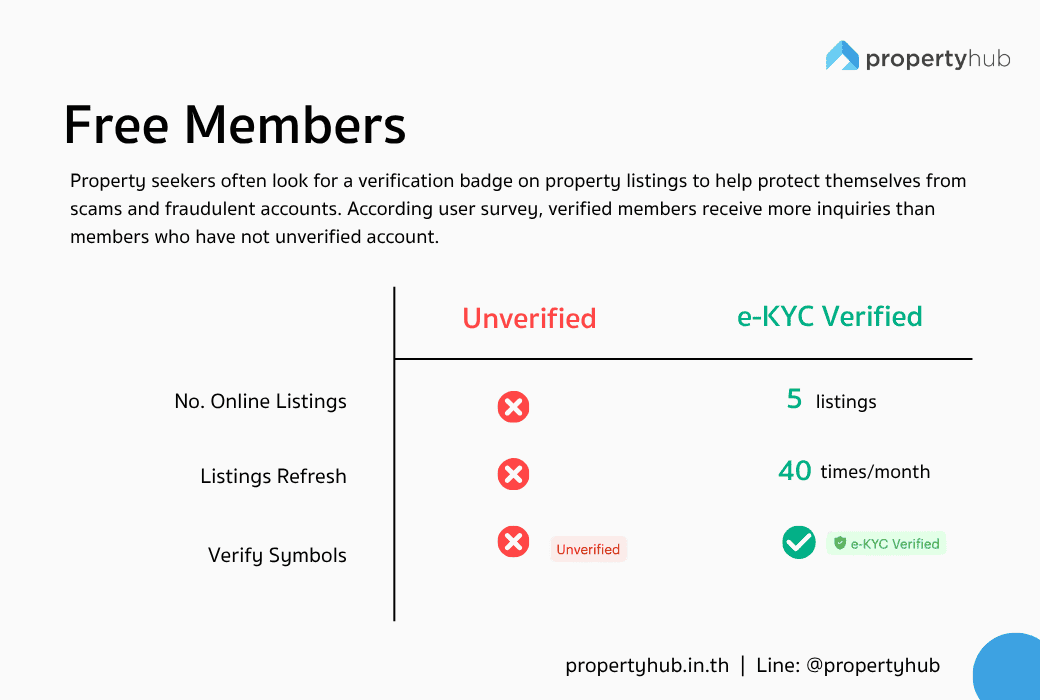
Based on our users survey, verified users receive more inquiries from property seekers than unverified users.
Identity Verification with e-KYC
To enhance security standards and provide greater confidence when using Propertyhub, identity verification is carried out through e-KYC (Electronic Know Your Customer).
The e-KYC system helps verify that members’ information is authentic and enhances security across the platform. Once your identity has been successfully verified, a Verified badge will be displayed on your profile. The KYC verification process is simple and can be completed easily through the Propertyhub application. Ready to get verified? Let’s get started!
e-KYC Verification Requirments
e-KYC Verification Steps
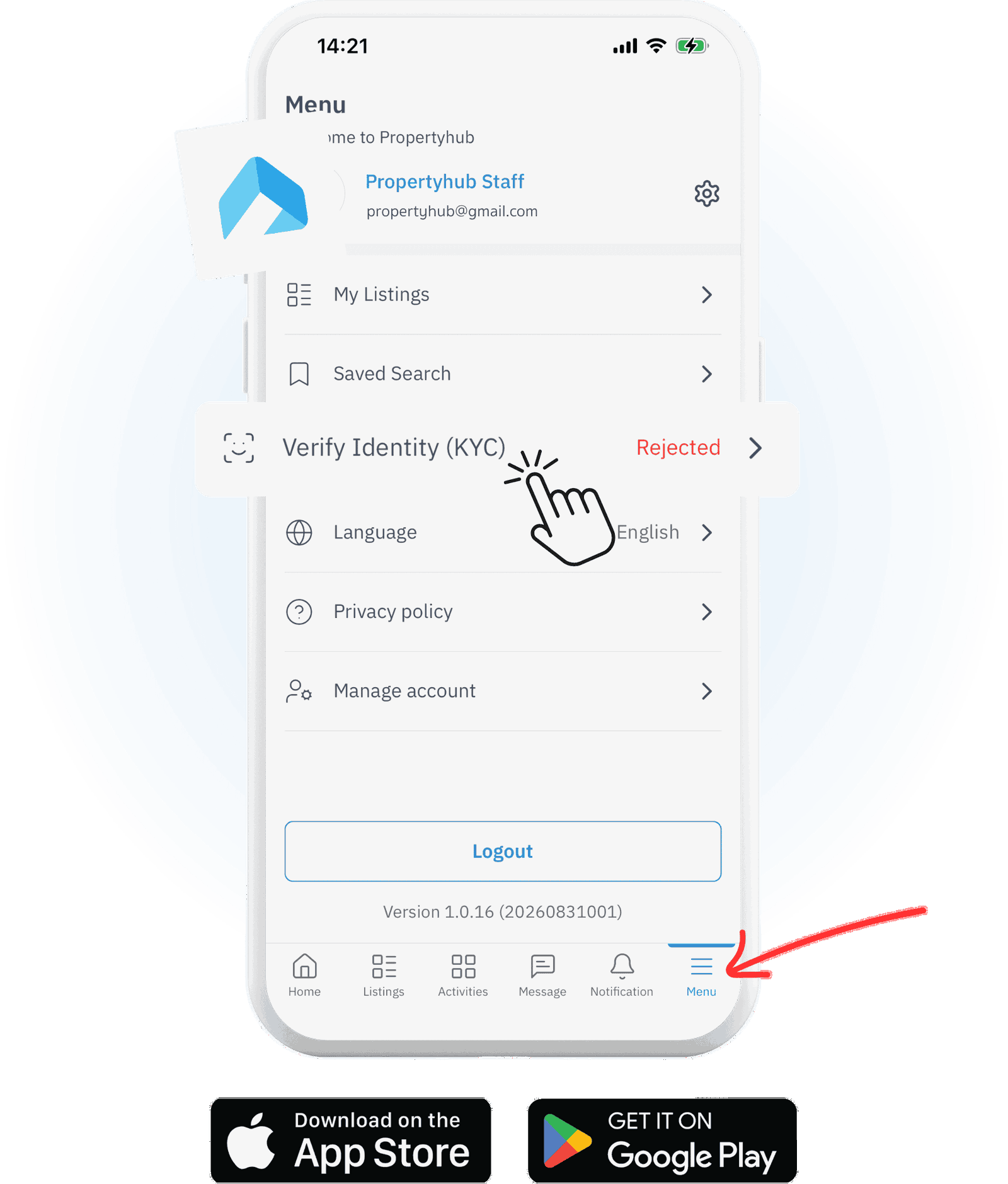
1. Login to your Account
Website: Go to Dashboard > Member. The system will display the steps and instructions.
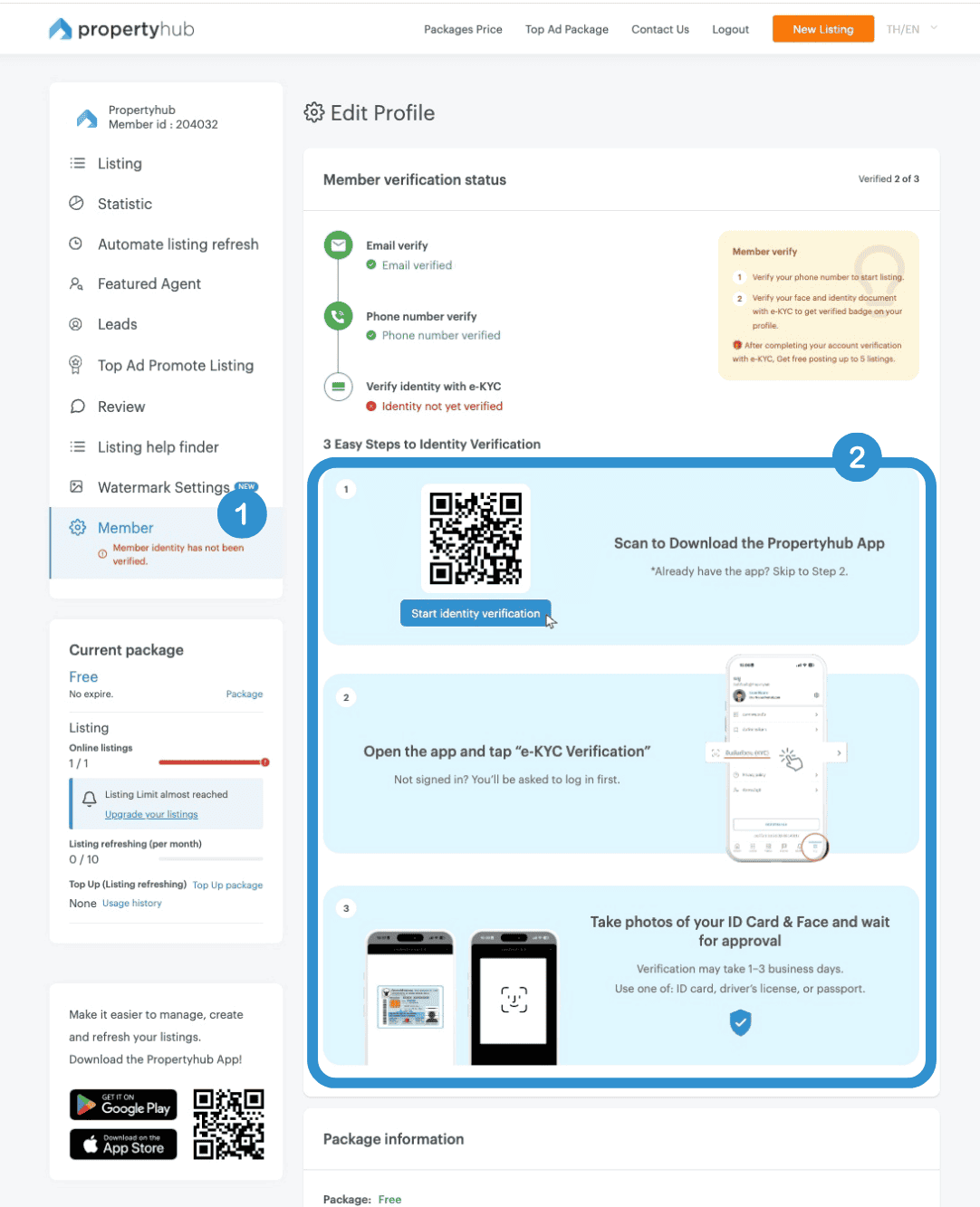
Application: Open menu “Verify Identity (KYC)” read the details and terms regarding consent for the e-KYC system to perform identity verification, then allow the application to access your camera.
2. Scan Your Document and Face
Select the document you would like to use for identity verification:
- National ID Card
- Driver’s License
- Passport
Follow the on-screen instructions to take a photo of your selected document. Once completed, the system will proceed to Face Scan. Your face must match the photo on the document you provided so that our team can accurately verify your information.
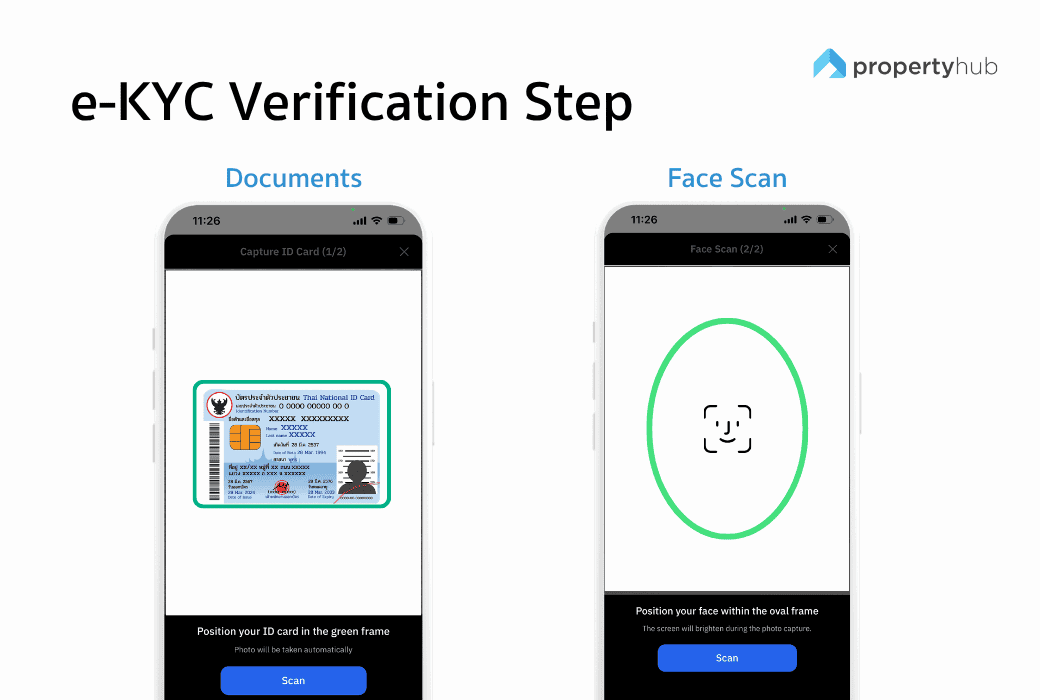
💡 Tips: When scanning your face, make sure you are in a well-lit area so your face can be clearly seen.
3. Submit Your Information
After taking photos of your identification document and completing the face scan, review your information and click “Confirm.” (The system may take a few moments to process your information). Once your submission is successful, the status will be displayed as “Pending/ In Review.”
Our team will review and verify your information within 1–3 business days

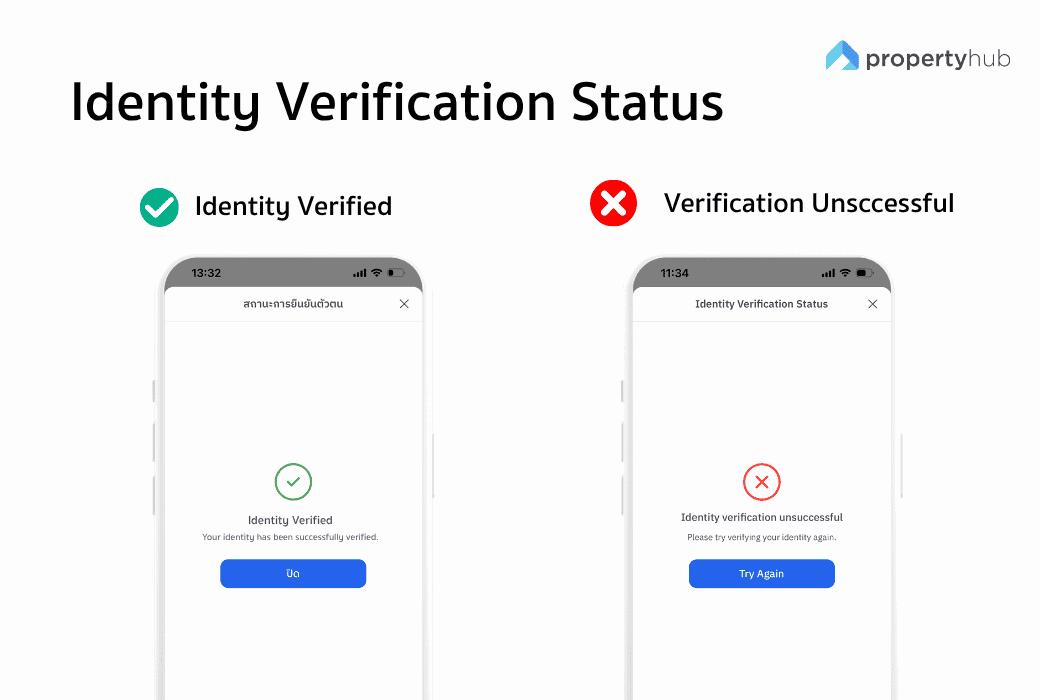
4. Check Your Verification Status
You can check your identity verification status through:
If your verification is unsuccessful, the system will notify you to complete the identity verification process again by following the same steps.
Any questions or issues with the identity verification process, please contact the Propertyhub team via LINE: @propertyhub. We hope this guide to registering and completing e-KYC verification has been helpful for you.